
user manual of 4G BWC BC310D6
hardware

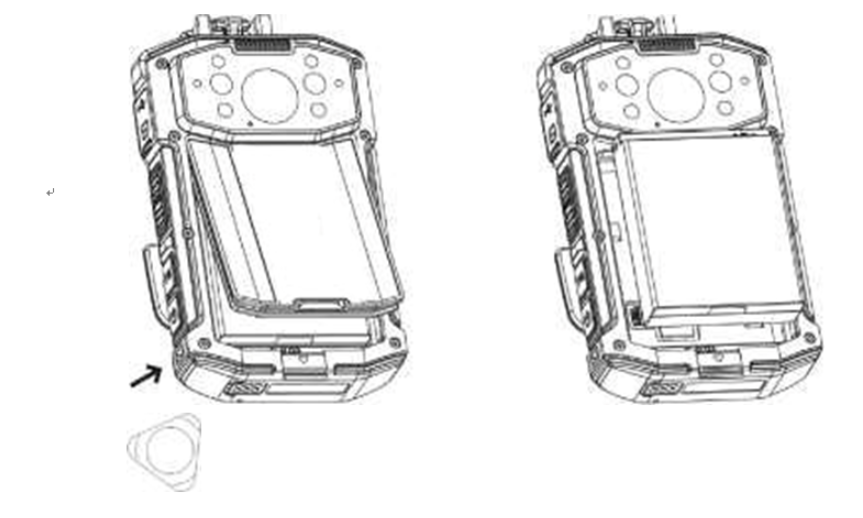
unpack battery
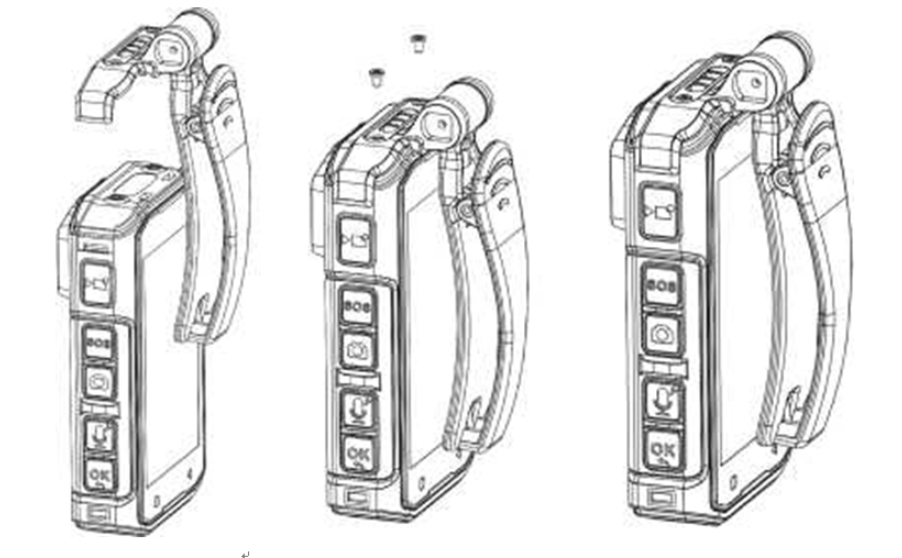
clip install
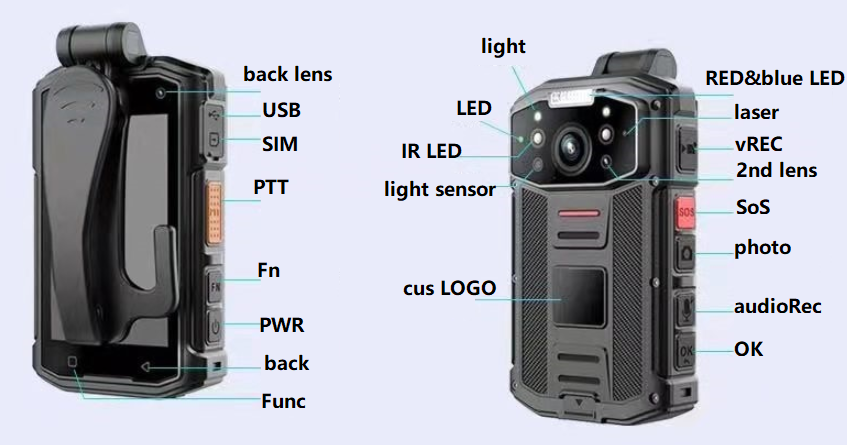
buttons
vRec, short press to start/stop video recording, long press to enable/disable laser
SoS, short press to send SoS alert to back-end VMS/smartye
audioRec, short press to start/stop audio recording, long press to start/stop light
OK button, long press to start/stop RED&blue LED flashing
Fn button, short press to increase volumn, long press to enable/disable IR night vision
PTT button, long press to speak, release when speak over, only valid in group PTT or P2P talk to VMS/smarteye
MCP Software how-to
typical MCP howto, https://www.besovideo.com/en/detail?t=1&i=126

VMS/smarteye software
google chrome is recommended.
FAQ for server-E WEB software, https://www.besovideo.com/en/detail?t=1&i=166

MCP as mobile client

access recording footage files in the camera
in MCP local settings --->other settings ---> enable U-disk mode, passwd 888888,
the body camera will turn to U-disk at connection to WINDOWS PC via USB cable.
anti-jitter, EIS, groupPTT/push2talk/PoC, star-light night vision, explosion-proof 4G/5G/GPS body camera DVR, 4G/5G/GPS helmet camera DVR/hardhat camera, AI box, vehicle mount mDVR, GPS tracker, 4G/5G HDMI DVR for drones/UAV, walkie talkie, fixed/cable IPcamera, all-in-one dome PTZ 4G/5G camera, RTK/UWB, 4G torch camera DVR, glass camera/AR glass camera, all in large scale VMS/smarteye, RTSP to milestone.
police law enforcement solution, https://www.besovideo.com/en/detail?t=1&i=2
pls visit our tiktok site for more demo videos, https://www.tiktok.com/@mobile4gcamera
kinds of IPcamera connects to VMS/smarteye by GB28181, https://www.besovideo.com/en/detail?t=1&i=244
replace CMSV6 with smarteye, https://www.besovideo.com/en/detail?t=1&i=393
face recognition on 4G/5G body cameras, https://www.besovideo.com/en/detail?t=1&i=365