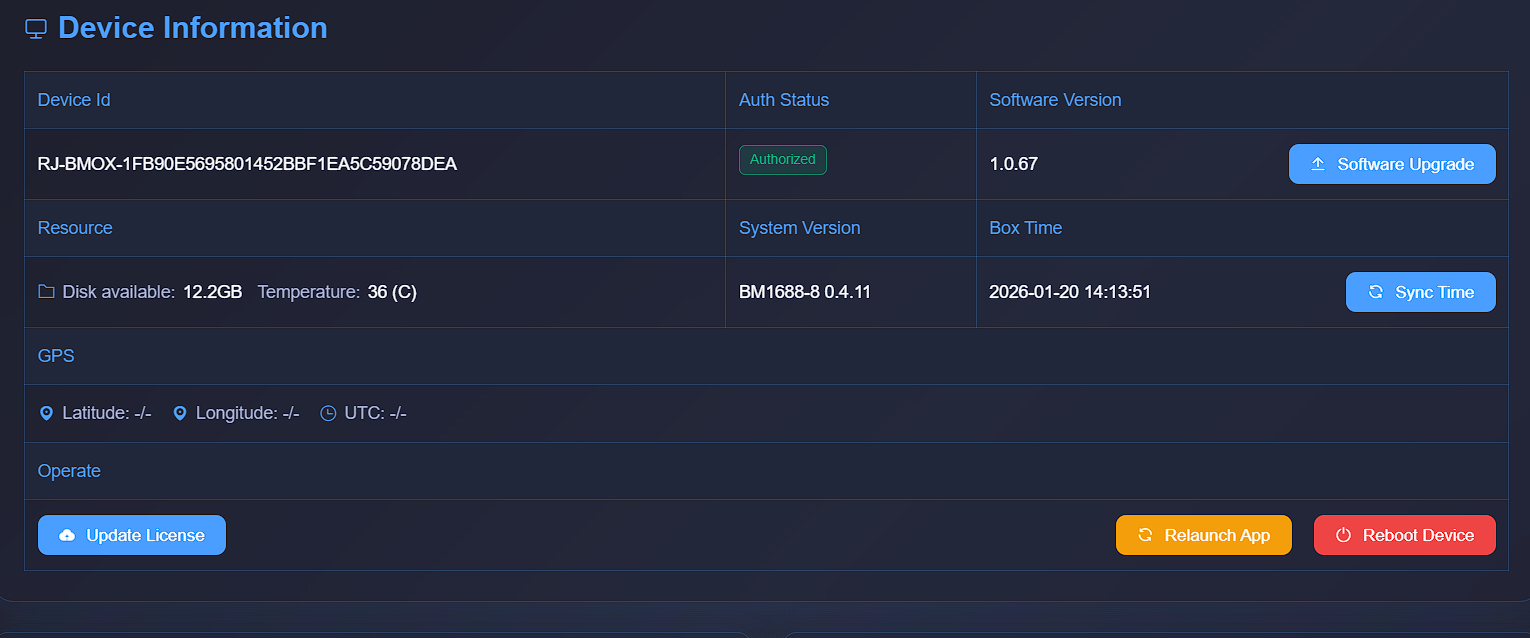
firmware update for AI box
1. FLASHING firmware by SD card
prepare a 8GB SD card, format to FAT32,
unzip the firmware file into the SD card,
power off the AI box, insert the SD card,
power on ,
there will be a RED LED lit up, wait about 10~18minutes,
there will be a LED blinking, that means firmware update success.
power off the AI box, pull out the SD card, then power on AI box.
2. install system
install file SE9_BM1688-4X_V1.0.67_FULL.run , about 2.87GB.
copy SE9_BM1688-4X_V1.0.67_FULL.run into AI box internal storage
chmod 777 SE9_BM1688-4X_V1.0.67_FULL.run
./SE9_BM1688-4X_V1.0.67_FULL.run /data/bm-app
pls note, /data/bm-app is automatic created.

upload LICENSE file (RJ-BMOX-1FB90E5695801452BBF1EA5C59078DEA.RJ) by WEB visit